

Say it once. Use it everywhere.
Keep your writing consistent, branded, and efficient across all documents with intelligent terminology management and a reusable content brain.

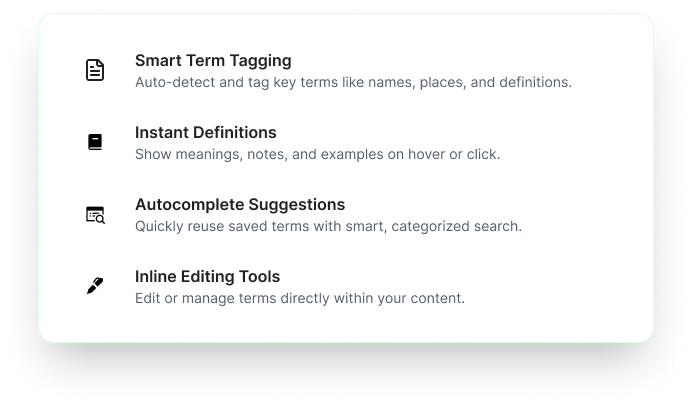
Write smarter, not harder
Transform your writing workflow with intelligent content management

Consistent Language
Define acronyms, phrases, or discipline-specific terms once and use everywhere

Smarter Writing
Slash /commands for quick insertion of your most-used content

Reusable Sections
Centralize boilerplates for intros, bios, key heading, company info
A terminology library like no other
For the systematic capture and reuse of language
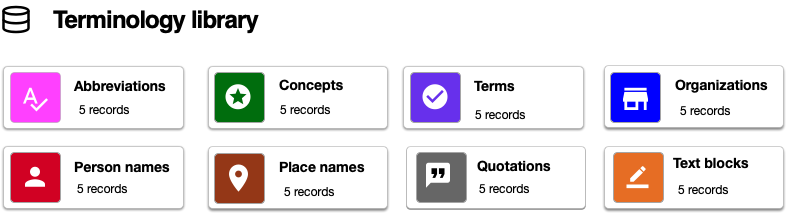
Powerful content management tools
"Making on-brand execution the default" (Keller & Swaminathan, 2020)
.png)
Smart Glossary


Reuse Buckets

Instant content at your fingertips
Simply type "/" and watch your content library spring to life


The SMART Methodology
Our strategic approach to building and managing your content ecosystem
Store
Frequently used terms and content blocks
Maintain
Organized collections with tags by category
Activate
Instant access through typing shortcuts
Reuse
Seamlessly insert across all documents
Track
Monitor usage patterns and optimize content
Frequently Asked Questions

Ready to supercharge your content?
Join thousands of writers who've transformed their productivity with intelligent terminology management.

.png)


